
















CHAPTER 01 / BEFORE YOU BEGIN
Prepare your materials. Define the deliverables.
Distributors, manufacturers, and B2B teams with technical catalogs or custom bidding processes.
Starting materials
- Product catalog and specifications are valid
- Repeated questions from procurement
- Flow of receiving requests by sales
What you will prepare
Category structure, standard product details, and relevant RFQ fields.
Use it as material for decisions and discussions, then adjust the work limits to your conditions.
Starting from one page, one process, or one most important need. Note unknowns as questions; Don't force answers just to make the worksheet look finished.
CHAPTER 02 / WORK STEPS
Work in a clear order.
Group catalogs based on how buyers choose
A company's internal categories may not necessarily help buyers. Ask if they choose from a specific application, material, size, capacity, or standard. Use categories that can be explained and managed. Avoid filters that do not have complete data; Empty filters give the impression of options being available even though they cannot be used.
Standardize the information that determines suitability
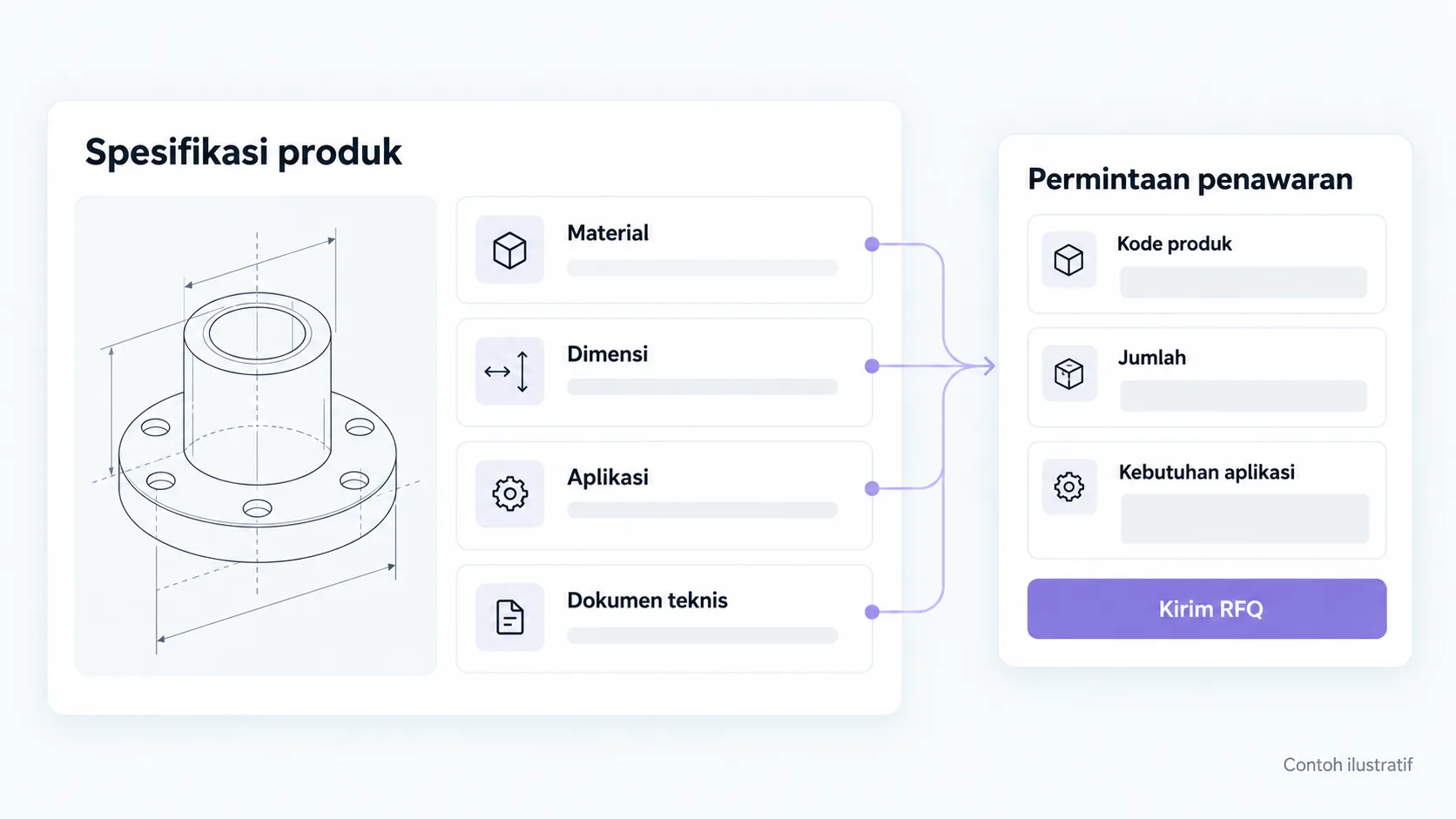
For a product group, define the specifications, units, documents, and application notes fields. Have the product owner check the numbers as well as the document version. Show if price or availability needs confirmation. Don't mention certification of decorative icons; link evidence that is available and may be published.
Design an RFQ that reduces repeat questions
Request product type, estimated quantity, delivery area, and usage requirements required for an initial response. Allow “don't know” when buyers need help with specifications. Separate optional uploads from required fields; limit file types and set protection. Labels and error messages must be clear.
Connect shipping to the sales process
Agree on the purpose of acceptance, person in charge, and follow-up rules. Test that product data is carried over when the RFQ is opened from the details page. Check the destination email or CRM as well as handling failed deliveries. Measure informed requests, not just the number of RFQ button clicks.
CHAPTER 03 / EXAMPLE SURGERY
Connect steps to real decisions.
Industrial pump demand exercise: buyers don't know the final model yet, but know the application and capacity requirements. Forms help sales start discussions without forcing unknown specifications.
| Information | How to request | Reason |
|---|---|---|
| Product/application | Choice of categories and short description | Determine the appropriate team or specialist |
| Capacity/size | Field with units or “don't know yet” | Avoid misinterpretation |
| Amount and sending destination | Estimated number and location of businesses | Prepare logistical discussions |
| Supporting documents | Optional as per upload policy | Provides technical context when available |
Replace the example lines with your business conditions. Mark information that already has evidence, that is still an assumption, and that needs to be asked of the person in charge.
CHAPTER 04 / REVIEW POINT
Avoid decisions that seem right, but have not been tested.
Copy the brochure as one large image
Important information needs to be readable, searchable, and usable on mobile.
Ask for all specifications before contact
Provide a pathway for buyers who don't know the details but have context for their needs.
If a decision impacts costs, access, data, or other teams' work, list the parties who need to approve it. Explain the evidence that is available and the extent of information that remains to be examined.
CHAPTER 05 / WORKBOOK
Make your plans here.
Fill in concisely and specifically. For information that is not yet available, write who needs to be asked for confirmation. These notes are not sent by the Playbook feature to Oura; download before the tab closes.
Do not enter passwords, access tokens, or personal customer data. Temporary storage follows the browser tab session, not the Oura account.
CHAPTER 06 / BEFORE SUBMISSION
Check your job readiness.
This checklist records the tasks you marked. It is not an audit score, certification, or automatic assessment of a website.
Frequently asked questions
Should prices appear in B2B catalogs?
Ikuti model penjualan. If the price depends on specifications or quantities, explain the factors and how to request a quote.
Does an RFQ automatically become an order?
No. RFQ is a request for discussion or quotation; Terms and confirmation of purchase follow business processes.
Referral & usage limits
References checked on October 2, 2026. Steps, examples and worksheets are Oura editorial formulation with the help of AI and public references. Examples are not client results. The guide does not guarantee business results and does not replace a dedicated examination of your systems.