












CHAPTER 01 / BEFORE YOU BEGIN
Prepare your materials. Define the deliverables.
Marketing, analyst, developer and sales teams need to agree on the definition of a lead.
Starting materials
- Appropriate access to GA4 and tag manager
- List form and contact button
- Definition of lead agreed upon by sales
What you will prepare
Event plans, test procedures, and measurement limit records.
Use it as material for decisions and discussions, then adjust the work limits to your conditions.
Starting from one page, one process, or one most important need. Note unknowns as questions; Don't force answers just to make the worksheet look finished.
CHAPTER 02 / WORK STEPS
Work in a clear order.
Agree on the meaning of success
WhatsApp clicks indicate intent to open a conversation, not proof of a message sent or a sale. Determine results that can actually be observed on the website, such as successful responses from forms. For quality leads and revenue, agree on additional data from CRM. Don't combine all actions into one conversion number.
Compose events from available actions
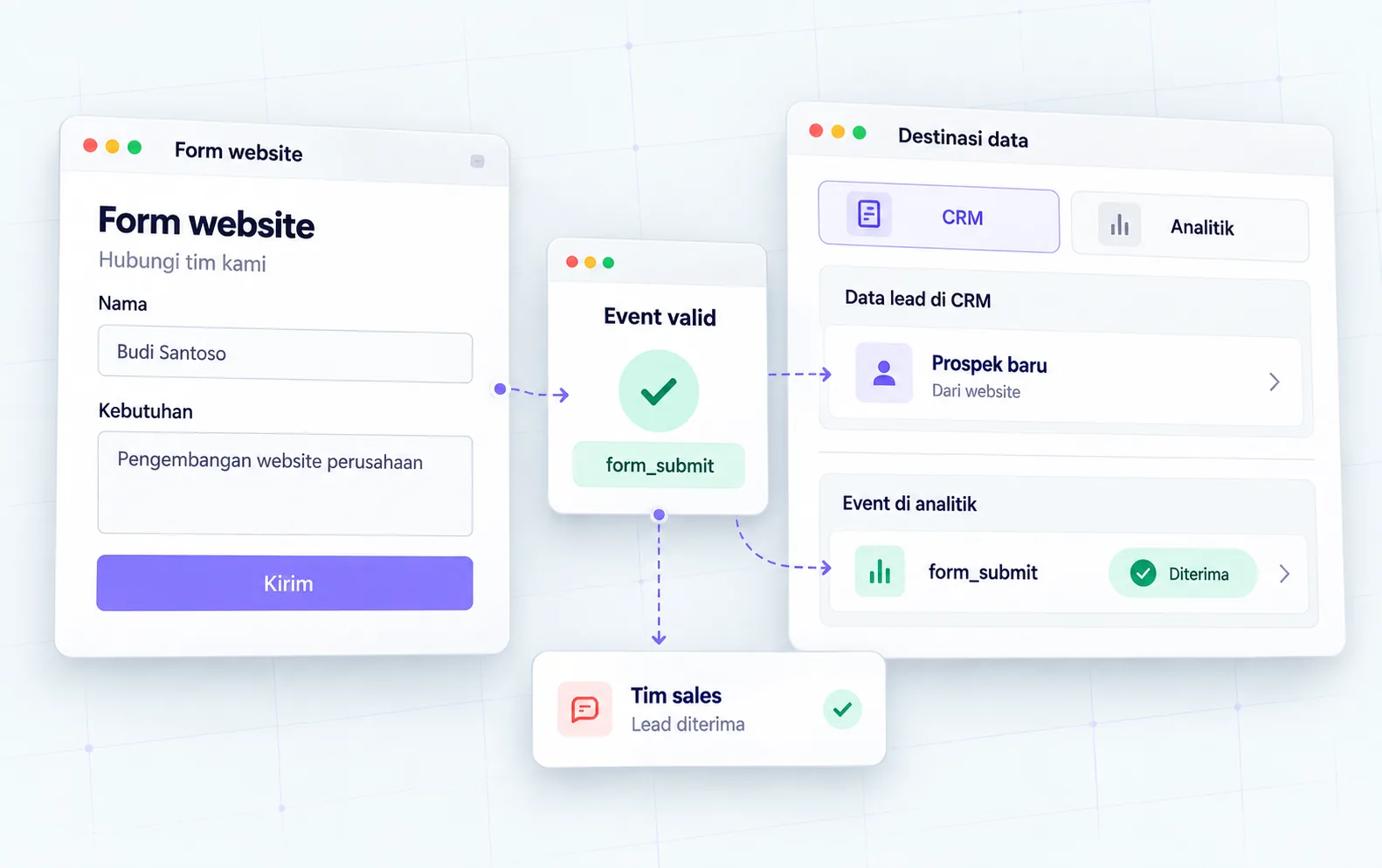
Use consistent event names; generate_lead can be used for successful lead delivery if implemented accordingly. Define triggers, non-private parameters, and conditions that should exclude events. Avoid triggers based on submit clicks alone as validation or connection may fail.
Protect data before enabling tracking
Don't send names, emails, phone numbers, message content, or URLs that convey personal identification to Analytics. Review parameters, page title, and query string. Tailor measurements to the approval options and rules applicable to the business. Use test data that does not identify real people.
Test from your own device
Check for success flows, invalid forms, repeat clicks, and refresh confirmation pages. Use DebugView to view events from the test device; record evidence, not just the status of the tag installed. Make sure one action doesn't trigger the event twice. Match form results with receipts in the destination system.
CHAPTER 03 / EXAMPLE SURGERY
Connect steps to real decisions.
A service business uses a consultation form and a WhatsApp button. This example separates initial interest from accepted form submissions; the number of both cannot be directly added up as a customer.
| Action | Event notes | Business meaning |
|---|---|---|
| Click WhatsApp | contact_click; channel=whatsapp | Contact interests, conversations unknown |
| Invalid form | Does not log generate_lead | No successful delivery yet |
| Form accepted | generate_lead; form_id=consultation | Lead from website; quality is assessed by sales |
| The lead meets the criteria | CRM records according to the system | Advanced stages beyond website clicks |
Replace the example lines with your business conditions. Mark information that already has evidence, that is still an assumption, and that needs to be asked of the person in charge.
CHAPTER 04 / REVIEW POINT
Avoid decisions that seem right, but have not been tested.
Assuming clicks equal sales
Use honest labels for each stage. Revenue requires appropriate transaction data sources.
Assess the installation from the dashboard only
Check test flow and form acceptance. Aggregate reports do not always appear immediately or include all users.
If a decision impacts costs, access, data, or other teams' work, list the parties who need to approve it. Explain the evidence that is available and the extent of information that remains to be examined.
CHAPTER 05 / WORKBOOK
Make your plans here.
Fill in concisely and specifically. For information that is not yet available, write who needs to be asked for confirmation. These notes are not sent by the Playbook feature to Oura; download before the tab closes.
Do not enter passwords, access tokens, or personal customer data. Temporary storage follows the browser tab session, not the Oura account.
CHAPTER 06 / BEFORE SUBMISSION
Check your job readiness.
This checklist records the tasks you marked. It is not an audit score, certification, or automatic assessment of a website.
Frequently asked questions
Are all visitors measured?
Not always. Approvals, blockers, configuration, and device conditions may limit the data collected.
Should the event be a key event?
Choose actions that really matter to the business. The determination does not convert ordinary clicks into quality leads.
Referral & usage limits
- Google Analytics: setting up key events ↗
- Google Analytics: DebugView ↗
- Google Analytics: avoid personally identifiable data ↗
References checked on October 2, 2026. Steps, examples and worksheets are Oura editorial formulation with the help of AI and public references. Examples are not client results. The guide does not guarantee business results and does not replace a dedicated examination of your systems.