















CHAPTER 01 / BEFORE YOU BEGIN
Prepare your materials. Define the deliverables.
Editors, website managers and service owners who are responsible for public information.
Starting materials
- List of URLs and content owners
- Source of facts, prices, and specifications
- Usage data or customer inquiries when available
What you will prepare
Content inventory, editorial decisions, and review schedules.
Use it as material for decisions and discussions, then adjust the work limits to your conditions.
Starting from one page, one process, or one most important need. Note unknowns as questions; Don't force answers just to make the worksheet look finished.
CHAPTER 02 / WORK STEPS
Work in a clear order.
Inventory of information at risk of expiration
Starting from prices, service coverage, schedules, conditions, contacts and results claims. Note the inspection date as well as the owner of the information. Low-traffic pages can still be important for buyers to use when making decisions. Don't determine priorities just by the number of visits; be aware of the risk of misinformation.
Check the content against the correct source
Match figures, quotes, specifications, and links to the latest authoritative documents. Separate corrections of fact from changes in style. If evidence is no longer available, revise the claim or explain its limitations. Don't just change the publication date to make the content look new without any meaningful changes.
Select decisions per page
Maintain pages that still properly address your needs. Update if the facts or explanation change. Combine if several pages answer the same thing and it can become one more useful resource. If a URL is removed or moved, review the link and redirect; don't redirect all old URLs to homepages without relevance.
Review changes and monitor them after publication
Have the service owner fact check, then check headings, tables, images, alts and links. Note the changes and who approved them. Once published, monitor user issues and search data for the appropriate period. Review calendars need to keep up with business changes, not just promotional content schedules.
CHAPTER 03 / EXAMPLE SURGERY
Connect steps to real decisions.
Exercise three service website pages: different decisions based on facts and their usefulness, not the desire to make all pages look new.
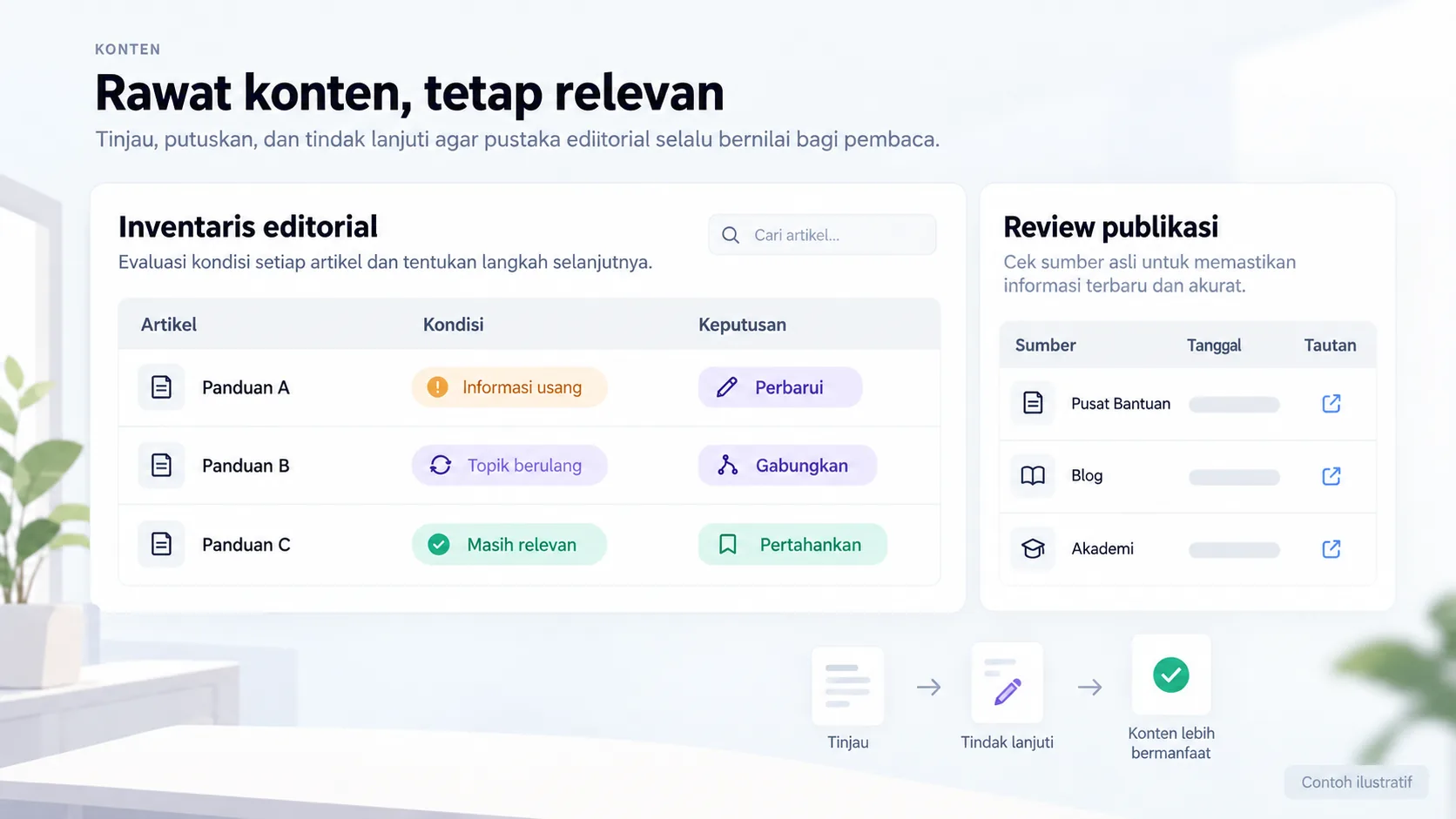
| Page | Example findings | Decision |
|---|---|---|
| Service plans | Coverage has changed | Update after owner approval |
| Two brief articles | Questions and content overlap | Combine and plan URLs |
| Process guide | Still spot on and helpful | Maintain, record inspections |
| Old location | The business has moved on | Improve location data as well as relevant links |
Replace the example lines with your business conditions. Mark information that already has evidence, that is still an assumption, and that needs to be asked of the person in charge.
CHAPTER 04 / REVIEW POINT
Avoid decisions that seem right, but have not been tested.
Deleting pages just because of low traffic
Check the usability for buyers and operations before deciding.
Using AI as the final source of facts
AI can help with drafting, but claims are still checked against appropriate sources.
If a decision impacts costs, access, data, or other teams' work, list the parties who need to approve it. Explain the evidence that is available and the extent of information that remains to be examined.
CHAPTER 05 / WORKBOOK
Make your plans here.
Fill in concisely and specifically. For information that is not yet available, write who needs to be asked for confirmation. These notes are not sent by the Playbook feature to Oura; download before the tab closes.
Do not enter passwords, access tokens, or personal customer data. Temporary storage follows the browser tab session, not the Oura account.
CHAPTER 06 / BEFORE SUBMISSION
Check your job readiness.
This checklist records the tasks you marked. It is not an audit score, certification, or automatic assessment of a website.
Frequently asked questions
How often is content checked?
Follow the risks and frequency of changes. Prices or schedules may require review as they change; stable guidance may be reviewed less frequently.
Should old content be deleted?
Not automatic. Keep what is still useful and true; Migration decisions need to consider users as well as links.
Referral & usage limits
References checked on October 2, 2026. Steps, examples and worksheets are Oura editorial formulation with the help of AI and public references. Examples are not client results. The guide does not guarantee business results and does not replace a dedicated examination of your systems.