














CHAPTER 01 / BEFORE YOU BEGIN
Prepare your materials. Define the deliverables.
Website owners, developers, and operational responsibilities working with internal teams or vendors.
Starting materials
- List of system and account owners
- Available test environments
- List of changes to be released
What you will prepare
Access matrix, release checklist, and recovery plan.
Use it as material for decisions and discussions, then adjust the work limits to your conditions.
Starting from one page, one process, or one most important need. Note unknowns as questions; Don't force answers just to make the worksheet look finished.
CHAPTER 02 / WORK STEPS
Work in a clear order.
Inventory of systems and their owners
Note the domain, hosting, CMS, repository, analytics, and form submission services. Keep owner accounts under the control of the business, not just one vendor. Grant access as assigned and use MFA when available. Do not store passwords, tokens, or recovery codes in the general brief or this practice sheet.
Separate testing from production
Staging is used to review changes before they are applied to the public website. Limit access and use test data, not unprotected copies of customer data. Setting noindex alone is not access control. Configuration differences between staging and production need to be noted so that test success is not misinterpreted as a guaranteed release.
Determine who gave consent
Content owners check facts and copy; developers check technical changes; operations check the inquiry receipt process. For each change, note the version, scope, test results, and approving parties. Separate emergency fixes from routine changes, but still document decisions and check-ins afterward.
Prepare recovery before release
Define conditions that require rollback, backup location, person responsible, and sequence of actions. Make sure the backup can be restored in a suitable environment. After release, check priority pages and important transactions or forms. This plan reduces risk; it does not guarantee zero downtime or total security.
CHAPTER 03 / EXAMPLE SURGERY
Connect steps to real decisions.
Quote form change exercise: the team changed the required fields, not the entire website. Release decisions are based on the acceptability of the form as well as the clarity of the message for users.
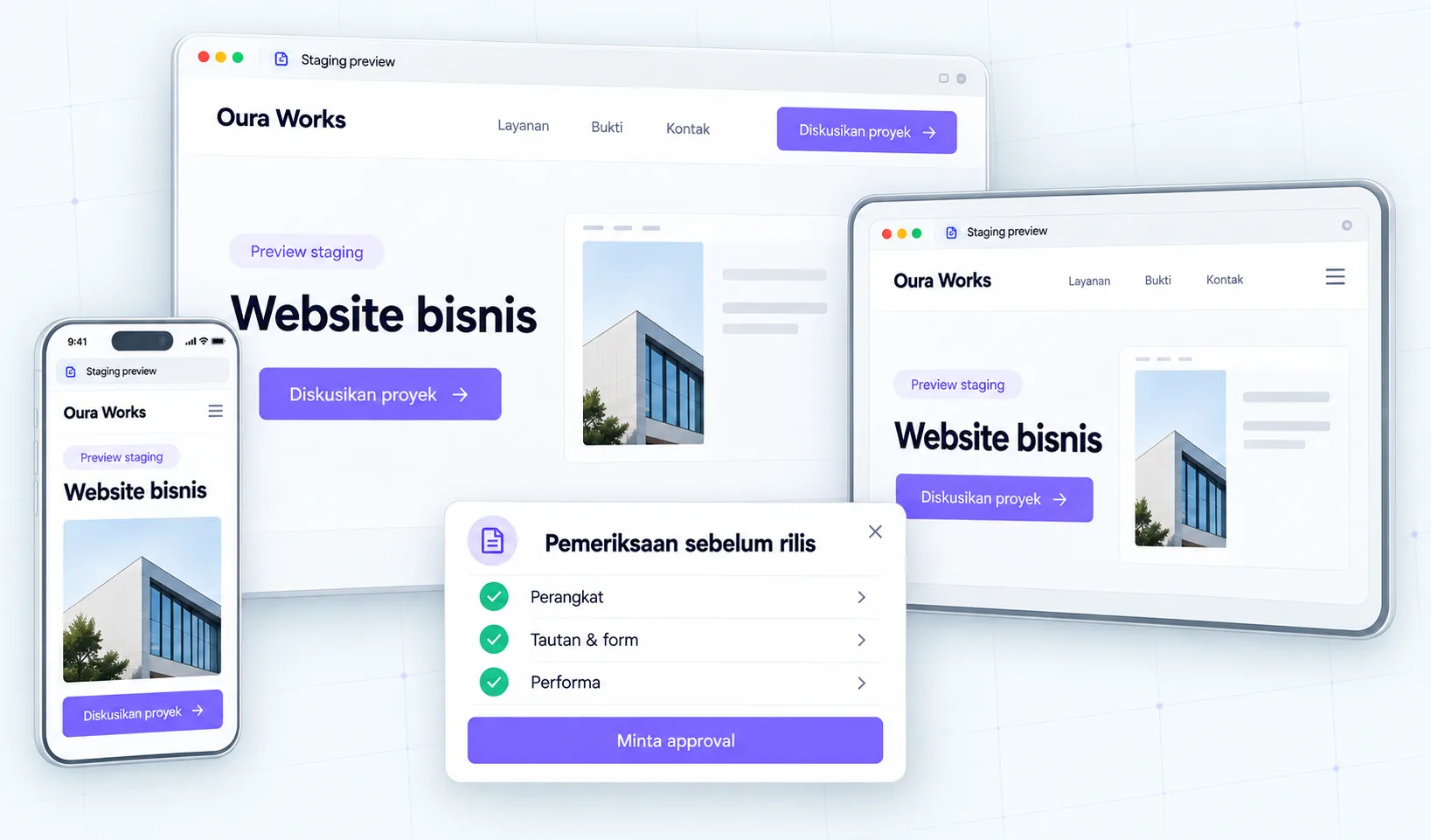
| Role | Which is reviewed | Proof before release |
|---|---|---|
| Content owner | Labels and form instructions | Copy version approved |
| Developer | Validation, response and access | Success and failure test results |
| Operational | Acceptance and follow-up | Inquiry test accepted goal system |
| Responsible for release | Versions, schedules and rollbacks | Approval and backup available |
Replace the example lines with your business conditions. Mark information that already has evidence, that is still an assumption, and that needs to be asked of the person in charge.
CHAPTER 04 / REVIEW POINT
Avoid decisions that seem right, but have not been tested.
Using one shared admin account
Separate accounts according to platform capabilities so that responsibilities and access revocation are clearer.
Assuming a successful backup means a successful restore
Test restore and check the results. The status of the backup file alone is not enough.
If a decision impacts costs, access, data, or other teams' work, list the parties who need to approve it. Explain the evidence that is available and the extent of information that remains to be examined.
CHAPTER 05 / WORKBOOK
Make your plans here.
Fill in concisely and specifically. For information that is not yet available, write who needs to be asked for confirmation. These notes are not sent by the Playbook feature to Oura; download before the tab closes.
Do not enter passwords, access tokens, or personal customer data. Temporary storage follows the browser tab session, not the Oura account.
CHAPTER 06 / BEFORE SUBMISSION
Check your job readiness.
This checklist records the tasks you marked. It is not an audit score, certification, or automatic assessment of a website.
Frequently asked questions
Does staging have to be synonymous with production?
Similarities help testing, but differences often remain. Note differences and perform production checks after release.
Does approval slow down all changes?
Set review levels based on impact. Minor changes and critical changes can have different paths documented.
Referral & usage limits
References checked on October 2, 2026. Steps, examples and worksheets are Oura editorial formulation with the help of AI and public references. Examples are not client results. The guide does not guarantee business results and does not replace a dedicated examination of your systems.